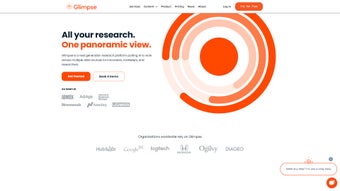

Download Glimpsehere – AI‑Driven Research, Sentiment Analysis, Survey Builder
Overview: Why Glimpsehere Redefines Modern Market Research
Glimpsehere is an innovative, AI‑powered research platform that streamlines the entire lifecycle of a survey—from design and distribution to deep‑dive analytics. Built for marketers, product managers, and social scientists, the tool combines natural‑language processing, emotion detection, and sentiment scoring to turn raw responses into actionable insights. Unlike traditional survey tools that merely collect data, Glimpsehere interprets the “why” behind each answer, flagging hidden trends, awareness gaps, and emotional drivers that can shape brand strategy.
The platform’s web‑based interface is mobile‑first, meaning respondents enjoy a fluid experience on smartphones or tablets, which dramatically improves completion rates. With a built‑in audience of over 250 million respondents, users can target precise demographic or psychographic segments without the hassle of recruiting panels manually. Moreover, the ability to embed images, videos, or audio clips directly into questions unlocks richer storytelling and more nuanced feedback, making each interaction feel conversational rather than transactional.
From a strategic standpoint, Glimpsehere offers a single dashboard where you can monitor real‑time response volumes, run topic modeling, and visualize sentiment heat maps. The generative AI engine further amplifies productivity by suggesting question phrasing, auto‑categorizing open‑ended answers, and even drafting presentation‑ready PowerPoint decks. These capabilities compress weeks of manual analysis into minutes, giving decision‑makers the confidence to act quickly on emerging market signals.
Cost‑effectiveness, rapid turnaround, and deep analytical depth have made the platform a favorite among enterprises looking to replace costly focus groups with a scalable, data‑driven alternative. Whether you are launching a new product, measuring brand health, or conducting academic research, Glimpsehere equips you with a secure, cloud‑hosted environment that respects privacy regulations (GDPR, CCPA) while delivering the speed and insight that modern businesses demand.
Finally, Glimpsehere’s subscription model includes unlimited survey creations, AI‑enhanced analytics, and access to the respondent network, all under a single, transparent pricing structure. This eliminates hidden fees and simplifies budgeting for both small teams and large organizations, ensuring that every dollar spent directly contributes to richer insights.
Features & AI Capabilities: What Sets Glimpsehere Apart
- AI‑Enhanced Question Builder: Natural‑language suggestions, auto‑completion, and best‑practice templates help you craft clear, unbiased surveys in minutes.
- Multimedia Integration: Embed images, videos, and audio clips directly into questions to boost engagement and capture richer context.
- Massive Respondent Network: Access to a curated pool of 250 million+ global participants, with filters for age, location, interests, purchase behavior, and more.
- Sentiment & Emotion Analysis: Real‑time scoring of happiness, frustration, confidence, and other emotions using state‑of‑the‑art transformer models.
- Topic Modeling & Trend Detection: Automatic clustering of open‑ended answers into themes, highlighting emerging topics before they become mainstream.
- Custom Data Uploads: Bring your own CSV or Excel files for comparative analysis, segmentation, or longitudinal studies.
- Dynamic Demographic Segmentation: Slice results by gender, income, device type, or any custom attribute you define.
- One‑Click Export to PowerPoint: Generate presentation‑ready slides with charts, word clouds, and sentiment heat maps in seconds.
- Generative AI Messaging: Use AI to draft marketing copy, email invitations, or follow‑up messages that resonate with each target segment.
- Secure Cloud Architecture: End‑to‑end encryption, role‑based access controls, and compliance with major data‑privacy frameworks.
Beyond the checklist, Glimpsehere’s AI engine continuously learns from each survey cycle. As you accumulate responses, the platform refines its sentiment lexicon, reducing false positives and improving the accuracy of emotion detection. This iterative learning process means that later projects benefit from the knowledge gathered in earlier ones, creating a virtuous cycle of insight quality.
The “Insight Bot” adds a conversational layer on top of raw analytics. By typing natural‑language queries such as “Which feature generated the most excitement among Gen Z users?” the bot instantly surfaces the answer with visual cues, sparing you from digging through dashboards or spreadsheets. This democratizes data access, allowing product managers, marketers, and even executives to retrieve key metrics without specialist training.
For organizations with existing tech stacks, the robust RESTful API enables seamless integration with CRMs (e.g., Salesforce), BI platforms (e.g., Tableau, Power BI), and custom internal dashboards. You can push sentiment scores directly into customer profiles or pull raw response data for deeper statistical modeling, all while maintaining strict security standards.
Finally, the platform supports multilingual surveys out‑of‑the‑box. Its language models cover more than 30 languages, automatically applying sentiment and emotion analysis in the respondent’s native tongue. This capability is essential for global brands that need consistent insight across diverse markets, eliminating the need for separate translation pipelines.
Installation, Setup & Usage: Getting Started in Minutes
Because Glimpsehere is a web‑based SaaS solution, there is no traditional “installation” on your desktop. All you need is a modern browser (Chrome, Edge, Firefox, or Safari) and an internet connection. The onboarding flow is designed to have you creating your first survey within 10‑15 minutes, even if you’re new to market research.
Step‑by‑Step Account Creation
- Visit the Glimpsehere homepage and click “Start Free Trial.”
- Enter your business email, set a strong password, and verify your account via the confirmation link.
- Complete the quick profile questionnaire—industry, typical survey size, and preferred respondent demographics.
- Choose a payment plan (free tier, monthly, or annual). All plans include SSL‑encrypted data storage and role‑based access controls.
Designing Your First Survey
Once logged in, the dashboard greets you with a “Create New Survey” button. Clicking it launches the AI‑enhanced builder. Begin by selecting a template (e.g., “Product Launch Feedback” or “Customer Satisfaction”). The AI suggests 5–7 core questions based on your template, but you can edit, reorder, or add new items. For each question, you can toggle the “Enable Sentiment Analysis” switch; the system will automatically tag emotions as responses pour in.
Multimedia can be added by dragging an image file onto the editor or pasting a YouTube link. The platform automatically optimizes media for mobile viewing, ensuring fast load times even on slower connections.
Targeting Respondents
Navigate to the “Audience” tab to define your target segment. You can choose from pre‑built segments (e.g., “US Millennials, high‑income”) or craft a custom filter using sliders for age, income, interests, and device usage. Glimpsehere instantly displays the estimated reachable pool and the cost per completed response, allowing you to fine‑tune your budget before launch.
Launching & Monitoring
After confirming budget and schedule, click “Launch.” Respondents receive invitations via email, SMS, or in‑app notification, depending on the channel you selected. The live dashboard shows response count, completion rate, and a real‑time sentiment meter. You can pause the campaign at any time, adjust targeting criteria, or increase the budget to accelerate data collection.
Analyzing Results
When the survey closes—or even while it’s still open—navigate to the “Insights” tab. The platform auto‑generates:
- Bar charts for multiple‑choice distribution.
- Word clouds highlighting frequent terms in open responses.
- Sentiment heat maps that color‑code emotions by question.
- Topic clusters that group similar feedback into themes.
You can drill down into any visual to see underlying raw data, apply additional filters, or compare segments side‑by‑side. The “Export” button lets you download raw data (CSV), visual reports (PDF), or a ready‑to‑present PowerPoint deck with a single click. For deeper statistical work, the API can push the dataset into your preferred BI environment.
Overall, Glimpsehere’s workflow emphasizes speed, simplicity, and AI‑driven insight, allowing teams to move from hypothesis to evidence‑backed decision in a single workday.
Compatibility, Pros & Cons: A Balanced Look at Glimpsehere
Supported Environments
Glimpsehere runs entirely in the cloud, which means it is compatible with any operating system that supports a modern web browser. Tested platforms include:
- Windows 10/11 (Chrome, Edge, Firefox)
- macOS 12+ (Safari, Chrome, Firefox)
- Linux distributions (Chrome, Firefox)
- iOS 14+ (Safari, Chrome) – mobile‑optimized survey experience
- Android 9+ (Chrome, Firefox) – responsive design for tablets and phones
The mobile‑first design ensures that respondents have a seamless experience on any device, while administrators enjoy full functionality on desktop browsers. No additional plugins or installations are required, which simplifies IT approval processes for larger enterprises.
Pros
- AI‑driven insights: Automatic sentiment, emotion, and topic analysis saves hours of manual coding.
- Large respondent pool: Direct access to 250 million+ participants eliminates the need for third‑party panel procurement.
- Multimedia support: Embedding images, videos, and audio boosts engagement and yields richer feedback.
- Rapid export options: One‑click PowerPoint generation accelerates reporting to stakeholders.
- Scalable pricing: Tiered plans accommodate startups and Fortune 500 companies alike.
- Secure & compliant: End‑to‑end encryption, GDPR and CCPA compliance, and role‑based access control.
- API integration: Seamless connectivity with CRMs, BI tools, and custom dashboards.
- Multilingual capability: Supports over 30 languages with native‑level sentiment analysis.
- Free trial: 14‑day trial provides full access to core features and a limited respondent pool.
Cons
- Learning curve for advanced AI features: Users unfamiliar with sentiment analysis may need initial training or onboarding support.
- Cost for high‑volume campaigns: While the platform is cost‑effective, large‑scale projects can become pricey without a negotiated enterprise contract.
- Dependence on internet connectivity: As a cloud‑only solution, offline work is not possible.
- Limited raw data export formats: Export options are primarily CSV, PDF, and PPT; raw JSON export requires API usage.
- Customization constraints: Survey branding is flexible but some UI elements are locked to maintain consistency across devices.
- Trial respondent limits: The free tier restricts access to the full 250 million network, which may affect early testing.
Overall Rating: 4.5 out of 5 stars
Glimpsehere delivers a compelling blend of AI intelligence and massive respondent reach, making it a standout choice for data‑driven organizations. The few drawbacks—primarily pricing for very large studies and the need for internet access—are outweighed by the depth of insight and speed of delivery.
FAQ & Conclusion: Should You Download Glimpsehere Today?
How does Glimpsehere ensure respondent privacy?
All data is transmitted over TLS 1.3 encryption, stored in ISO‑27001‑certified data centers, and processed in a segregated environment. Glimpsehere also offers anonymization tools that strip personally identifiable information before analytics are applied, ensuring compliance with GDPR, CCPA, and other regional regulations.
Can I use Glimpsehere for multilingual research?
Yes. The platform supports more than 30 languages, automatically applying sentiment and emotion analysis in the respondent’s native language. This eliminates the need for separate translation services and guarantees consistent insight across global markets.
What types of analytics does the Insight Bot provide?
The Insight Bot can surface sentiment trends, highlight top‑scoring topics, compare segment performance, and even suggest follow‑up questions based on emerging patterns—all through simple natural‑language queries.
Is there a limit to the number of surveys I can create?
No. Glimpsehere’s subscription includes unlimited survey creations, so you can iterate, test, and refine as often as your research schedule demands.
How quickly can I get a presentation‑ready report?
With the one‑click “Export to PowerPoint” feature, a fully formatted slide deck—complete with charts, sentiment maps, and word clouds—is generated in under a minute after the survey closes.
In summary, Glimpsehere combines a powerful AI engine, a vast global respondent network, and a user‑friendly, mobile‑first interface to deliver market research that is faster, richer, and more actionable than traditional solutions. The platform’s emphasis on security, multilingual support, and seamless integration makes it a versatile choice for organizations of any size that need reliable, real‑time consumer insight.
If you are looking to accelerate product development cycles, validate market demand, or simply gain a deeper emotional understanding of your customers, Glimpsehere offers the tools you need without the overhead of legacy research processes. Start your free trial today, explore the AI‑enhanced features, and see for yourself how quickly high‑quality insights can transform your strategic decisions.
Ready to experience the future of research? Click the “Download” button below, follow the quick sign‑up steps, and let Glimpsehere turn raw data into strategic advantage—all while keeping your data safe and your budgets transparent.



.png)



